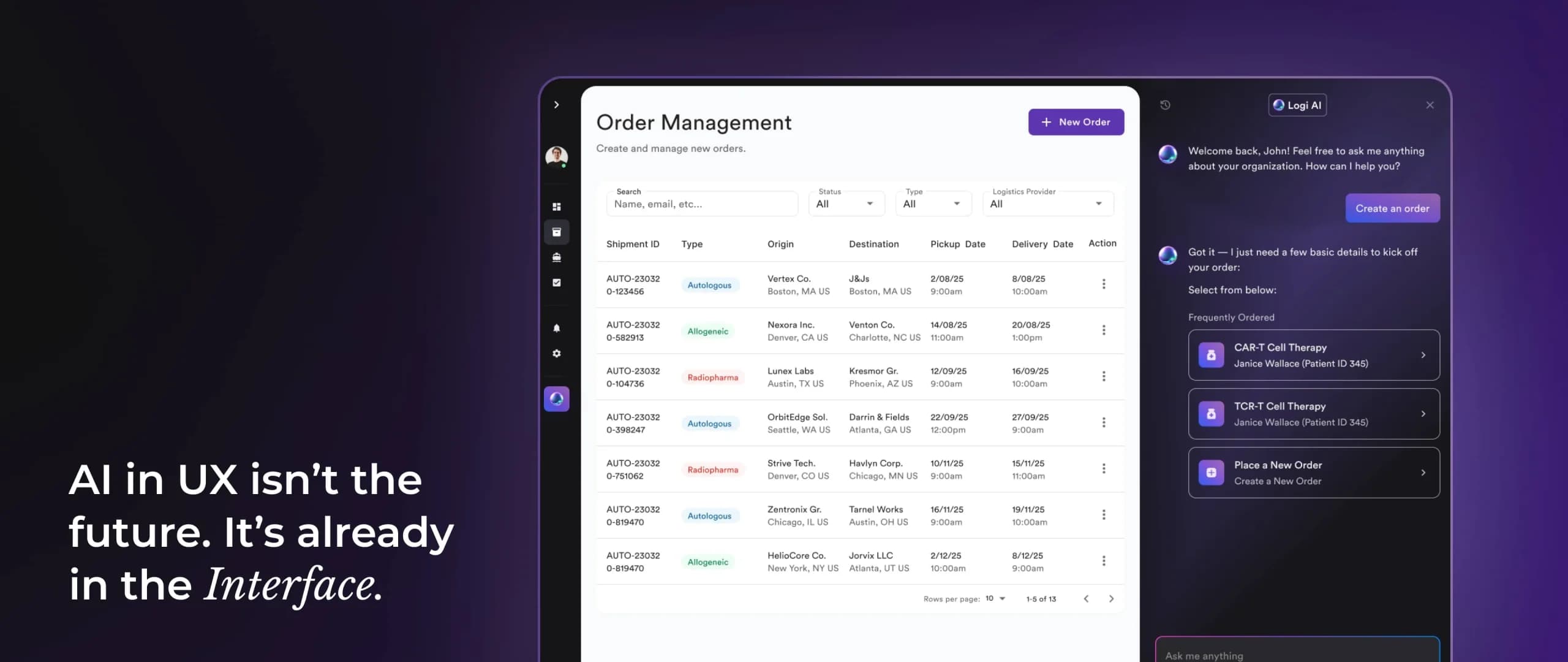
Section 1: From Static Journeys to Adaptive Experiences
Traditional UX designs for the “average” journey, but AI enables experiences that adapt as users move. Think of it as UX that evolves with you.
- Predictive UX: Recommending the next action before the user even asks, like Spotify creating a playlist before you hit “search.”
- Adaptive Onboarding: Different user personas receive different flows; no two first-time users get the same journey.
- Generative Interfaces: Layouts, copy, and navigation that change dynamically based on behavior.
A Deloitte forecast reported that nearly 20% of consumer devices now have on-device AI capabilities, enabling more responsive, private, and adaptive interfaces.


Section 2: Where AI Adds the Most Value
AI isn’t a magic wand, it shines in specific areas of UX.
-
Research at Scale
Traditional UX research can feel like detective work. Designers sift through endless session recordings, heatmaps, and usability tests to find where users get stuck. This process is valuable, but painfully slow.
AI changes the game by analyzing thousands of interactions in hours, not weeks. With clustering algorithms, it can automatically group behaviors (like “rage clicks” or “hover hesitation”), highlight recurring patterns, and even generate natural-language summaries for your team.
For instance, imagine you launch a new SaaS dashboard. Normally, reviewing how 500 users interact with it might take an entire sprint. With AI, you could discover within hours that 70% of users abandon after step three, and even get suggestions for why, perhaps the button placement or jargon in the copy is confusing.
According to a Forrester study, companies using AI-assisted research tools reduce their analysis time by up to 60%, freeing teams to focus more on solutions rather than endless data crunching. The result? Faster design iterations and fewer blind spots in the user journey.
-
Conversational Experiences
We’ve officially moved past the era of “Hello, I’m a chatbot. How can I help you?” interactions. Today’s AI-driven assistants are context-aware, embedded directly into workflows, and designed to anticipate intent.
Instead of asking users to dig through menus, AI can act as a proactive guide:
- In a project management app, it might suggest creating a new task when you paste in a deadline.
- In e-commerce, it might remind you about an item in your cart just before you reach checkout.
- In HR software, it can explain a confusing policy instantly, without needing a human rep.
What makes this powerful is not just the convenience, it’s the seamlessness. Users no longer feel like they’re talking to a bot; they feel like the product itself understands them.
Adobe’s 2025 Digital Trends Report revealed that 75% of businesses plan to integrate conversational AI into their products by 2026. This isn’t surprising, because conversational design doesn’t just improve efficiency, it reduces cognitive load and creates an interface that feels natural, even human.
The real winners will be the brands that embed AI where it matters most, not just for novelty but for meaningful support.
-
Trust Through Transparency
AI has incredible potential, but one wrong step can break trust instantly. Imagine a user asks why a personal loan was declined, and the interface simply responds, “Decision made by AI.” That’s a recipe for frustration and mistrust.
This is why transparency and explainability are now as essential to UX as clarity and consistency. Users must be shown:
- Why the AI made a recommendation.
- How it reached its conclusion.
- What options they have to override or adjust the output.
Nielsen Norman Group (NN/g) stresses that “black box” experiences, where the AI acts without explanation, damage usability and adoption. In contrast, when users understand the reasoning, they’re more likely to trust and even rely on AI-driven features.
For example:
- Spotify shows “Because you listened to X” when recommending a new playlist.
- Google Maps explains “Faster route due to lighter traffic” when rerouting you.
- Finance apps might add “Based on your past three transactions” when suggesting a budget category.
Each of these small explanations reduces anxiety and builds trust. In fact, surveys show that 81% of users are more likely to adopt AI features when they are transparent about how decisions are made (NN/g, 2024).

Section 3: The Risks of Ignoring AI
Ignoring AI doesn’t mean staying neutral, it means falling behind.
-
Static Products Feel Outdated
Imagine opening an app you haven’t used in months, and it greets you with the same old onboarding tips from day one. Now compare that with Netflix, which instantly refreshes your screen with shows you’ll likely love. One feels stale, the other feels alive. In 2025, users expect that kind of intelligent adaptation. No wonder 88% won’t return after a poor experience.
-
Competitors Attract Your Users
When users face friction, they don’t complain, they switch. Think of two online stores: one makes you fill out a long, static checkout form; the other remembers your info and suggests what you might need next. Which one keeps your business? Smarter, AI-driven competitors become magnets for your frustrated users.
-
Teams Waste Time
Manual-first teams spend weeks replaying session recordings, hunting for patterns, and debating what went wrong. Meanwhile, AI-powered teams get instant insights, like a spotlight on the exact step where users give up. That difference means competitors fix problems in days while you’re still analyzing them.

Section 4: 3-Step Framework for Businesses
So, how can you actually adopt AI in UX without overwhelming your team?
-
Audit Drop-Off Points
Think of your product like a busy highway. Somewhere along the route, drivers keep taking the wrong exit or abandoning the trip entirely. Tools like GA4 or Hotjar act like aerial cameras, showing you exactly where users stop. Before adding AI, you need to find those hidden roadblocks.
-
Add AI Enhancements
Don’t start with a full overhaul, begin with small wins. Picture a search bar that finishes your thought before you type, a form that shrinks as it learns from your inputs, or a dashboard that only shows what you care about. These subtle AI touches make users feel like the product is built just for them.
-
Design for Explainability
Trust is everything. Imagine your GPS rerouting you without telling you why you’d feel lost, even suspicious. Now imagine it saying, “Faster route due to lighter traffic.” That tiny explanation makes you trust it. AI in UX works the same way: always explain why and give users the option to take control.

Conclusion
The future of UX lies not in replacing designers, but in blending human empathy with machine intelligence. Data-driven adaptability, clear transparency, and emotional resonance will shape the products of tomorrow.
Businesses that adopt AI-enhanced UX today won’t just keep up, they’ll define the standards of the next decade. Begin with an AI-readiness audit, integrate enhancements where they matter most, and always keep the human in the loop.
Because in the end, adaptability beats rigidity and empathy, amplified by AI, is the ultimate UX advantage.
I keep hearing about AI in design, what does it actually mean for UX?
AI in UX is about making digital products feel smarter and more helpful. Instead of giving every user the same experience, AI allows apps and websites to adjust to your needs, like Google predicting your search, or Netflix recommending a show based on your mood.
Does this mean AI will replace UX designers?
Not at all. AI is more like a design assistant. It can speed up boring, repetitive tasks, like analyzing user data or generating wireframe drafts, but the human touch is still needed. Designers focus more on empathy, creativity, and making sure products actually feel human.
Can you give me some real examples of AI in everyday products?
- Netflix recommending shows with “Because you watched…” labels.
- Spotify building playlists that match your vibe.
- Google Maps rerouting you in real time with an explanation.
- Duolingo changing lesson difficulty depending on how you’re doing.
These small touches are all AI at work in UX.
What happens if a company doesn’t use AI in their product?
A static, one-size-fits-all experience feels outdated. People are drawn to apps and websites that “get them,” and if your product doesn’t adapt, they’ll probably move to a competitor that does. Plus, your team ends up wasting time fixing problems manually.
I run a business. How do I start using AI in UX without overcomplicating things?
Start small. Add predictive search, simplify forms by making them adapt to users, or personalize dashboards with the most relevant info. Focus on places where users drop off or get stuck, and add AI where it removes friction.
Won’t AI make experiences feel robotic instead of personal?
It can, but only if it’s done poorly. The best AI-powered products still feel human because they explain why they’re making suggestions and let users stay in control. Duolingo, for example, keeps things lighthearted while adapting to your learning style.
If I’m a UX designer, what should I be learning right now to stay ahead?
- The basics of how AI works.
- How to interpret user data and insights.
- How to design with ethics and accessibility in mind.
- And above all, storytelling and empathy, because that’s what AI can’t replace.

Sahar Asif
Senior Manager UX | KAM