History of UI UX Design
The history of UI/UX design began with the development of graphical user interfaces (GUIs) in the 1970s, introducing visual elements and mouse-based interactions. In the 1990s, web design emerged with a focus on organizing information and seamless navigation. The late 2000s saw the rise of mobile UI/UX design with the advent of smartphones and touchscreens.
Usability testing and user-centered design gained prominence during this time. In recent years, UI/UX design has evolved with the influence of emerging technologies like virtual reality and voice user interfaces. Today, UI/UX designers play a crucial role in creating enchanting and user-centric digital experiences that leave users spellbound.

UI vs UX Design - What is UI UX Design? The actual meaning:
Aspiring designers and curious minds! Have you ever wondered about the fascinating world of UI and UX design? You’ve probably heard these buzzwords thrown around in the design realm, but what do they actually mean? Fear not, for in this beginner’s guide, we’ll unravel the enchanting history, and importance and reveal the key differences between UX (User Experience) and UI (User Interface) design. So, fasten your seatbelts, and let’s embark on this magical journey of discovery!
UX design, short for “user experience design,” and UI, which stands for “user interface design,” are both integral to a product’s success and closely collaborate. However, despite their close relationship, they play distinct roles in the product development process and design discipline.
Let’s explain each term individually.
What is User Experience (UX) design? UX Tasks and Responsibilities:
It is the art of bringing that magic to life. It’s all about the visual enchantment that captivates users and leaves them mesmerized. UX design is all about crafting that unforgettable journey for users. It’s the art of understanding the hearts and minds of users, anticipating their needs, and creating a seamless and delightful experience.

In simple words, User Experience (UX) design is a captivating art that revolves around crafting magical and meaningful experiences for users interacting with a product or service. It’s all about understanding users’ needs, desires, and emotions to create an enchanting journey that leaves a lasting impression.
At its core, UX design is user-centered, aiming to enhance usability, accessibility, and overall satisfaction. It involves extensive research, empathy, and understanding of user behaviors to ensure that the final product aligns with users’ goals and aspirations.
User Research:
Conducting in-depth research to understand user behaviors, preferences, and pain points. This includes interviews, surveys, and usability testing.
Persona Development:
Creating user personas, fictional characters that represent different user types, to guide the design process.
Information Architecture:
Organizing content and information in a logical and intuitive manner creates a clear pathway for users.
Wireframing:
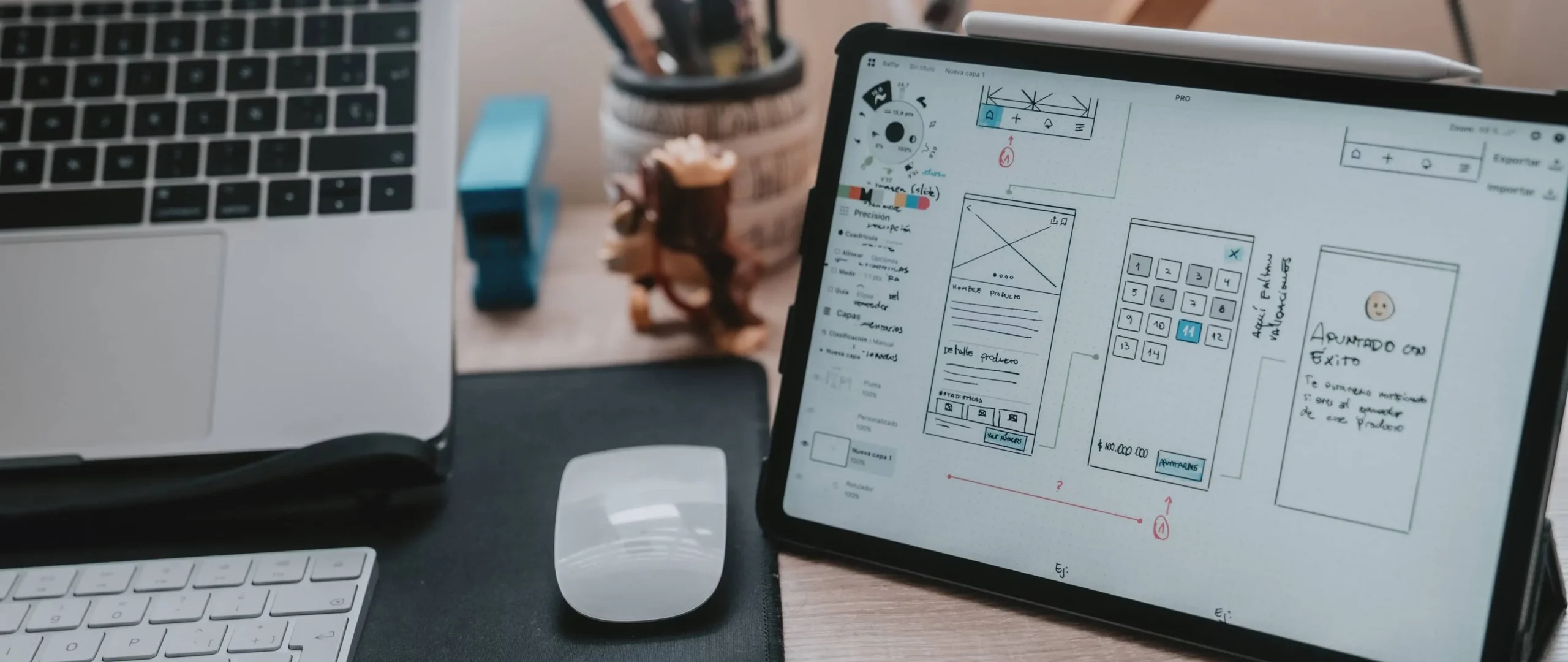
Designing low-fidelity mockups that outline the basic structure and layout of the product.
Prototyping:
Building interactive prototypes to visualize the user journey and gather feedback from stakeholders and users.
Usability Testing:
Conducting tests with real users to evaluate the product’s ease of use and identify areas for improvement.
User Flows:
Defining the steps users take to achieve their goals within the product, ensuring a seamless experience.
User Testing and Feedback Analysis:
Analyzing user feedback and behavior to iteratively improve the product.
What is User Interface (UI) design? UI Tasks and Responsibilities:
It focuses on the visual elements that users interact with, such as buttons, icons, and typography. UI design is the art of creating visually appealing and interactive interfaces for digital products or services. UI designers craft layouts and use colors, imagery, and animations to evoke emotions and guide user interactions.

The goal of UI design is to ensure that the interface is aesthetically pleasing, easy to navigate, and aligns with the overall user experience. A well-designed UI enhances user satisfaction and engagement, making the product visually captivating and leaving users with a positive and memorable impression.
User Interface (UI) design is the enchanting art of visually bringing the product to life, captivating users with a beautiful and intuitive interface. It focuses on the aesthetics, layout, and visual elements that users interact with, creating a delightful experience.
Visual Design:
Creating enchanting visual elements, such as icons, buttons, and illustrations, that align with the product’s branding and user preferences.
Color and Typography:
Choosing colors and fonts that evoke emotions and enhance readability.
Responsive Design:
Ensuring that the interface adapts gracefully to different screen sizes and devices.
Style Guides:
Developing style guides that define design principles, visual elements, and interaction patterns for consistency.
Design Systems:
Creating reusable design components and patterns to maintain consistency throughout the product.
Interaction Design:
Designing animations, transitions, and micro-interactions that add a touch of magic to the user experience.
Collaborating with Developers:
Working closely with developers to ensure that the design vision is accurately translated into the final product.
Accessibility:
Ensuring that the interface is accessible to all users, regardless of their abilities.
You might also like: Key Factors to Consider When Migrating to a New UI UX
Importance of UI/UX design
UI/UX design is of utmost importance as it directly impacts user satisfaction and business success. A well-crafted interface with intuitive navigation and captivating visuals enhances user experience, increasing user engagement and loyalty. Positive user experiences lead to higher conversion rates, increased retention, and brand loyalty.
A user-centric design also reduces bounce rates and customer support costs. UI/UX design fosters trust and credibility, making users more likely to recommend the product or service to others. By focusing on user needs and preferences, UI/UX design creates enchanting experiences that leave a lasting impression, ultimately driving the success of digital products and businesses in today’s competitive landscape.
Key Difference of UI/UX Design
The key difference between UI (User Interface) design and UX (User Experience) design lies in their primary focus. UI design is concerned with creating visually appealing and interactive interfaces, including layout, typography, and iconography. It deals with the presentation and aesthetics of the product.

On the other hand, UX design is focused on the overall user experience, ensuring that the product is intuitive, seamless, and user-friendly. It involves user research, information architecture, and usability testing to optimize the user journey. In summary, UI design focuses on the look and feel, while UX design focuses on the overall experience and usability.
UX and UI - The Dynamic Duo
Now that we’ve uncovered the essence of both UX and UI design, let’s explore how they work together like a dynamic duo. Think of UX as the guiding star, and UI as the shimmering lights that lead the way. They’re inseparable, working in harmony to create the ultimate magical experience for users.
In essence, UX design focuses on the overall user journey and emotional experience, while UI design focuses on creating captivating visuals and interactions. When these two magical forces come together, they weave an unforgettable spell that keeps users coming back for more!
How do UX and UI design work together?
UX and UI design work together like a magical dance, harmoniously complementing each other to create captivating and delightful user experiences. UX design focuses on understanding user needs, conducting research, and crafting intuitive user flows. It sets the stage for UI design by defining the overall structure and functionality of the product.
UI design, on the other hand, brings enchanting visuals to life, utilizing colors, typography, and imagery to evoke emotions and guide users through the interface. The UI design enhances the user experience by providing a visually appealing and cohesive interface that aligns with the UX design’s goals.
The two forces collaborate closely, with UX research informing UI visual choices, and UI design adding magic to interactions, micro animations, and other delightful elements. Together, they weave an unforgettable spell that leaves users enchanted and eager for more.
Why do companies often advertise UX/UI roles as one?
Companies often advertise UX/UI roles as one to streamline the hiring process and attract candidates with diverse skill sets. While UX (User Experience) and UI (User Interface) design are distinct disciplines, they closely collaborate in the product development process.
Hiring individuals who possess both UX and UI skills allows companies to have designers who can contribute to both aspects of the design process, from understanding user needs to crafting visually appealing interfaces.
Additionally, having a designer who understands both UX and UI can facilitate effective communication and collaboration between the two disciplines, leading to a more cohesive and enchanting user experience for the company’s products or services.
UI UX Design Principles
Ah, my fellow design enthusiasts, let’s unlock the secrets to creating enchanting UI/UX experiences with these magical principles! Get ready to weave a spellbinding user journey that will leave users spellbound and longing for more.

User-Centered Design:
The first and foremost principle is to put the user at the heart of your design. Understand their needs, desires, and pain points through user research and empathy. Design with the user in mind to create an enchanting experience that resonates with their hearts.
Consistency:
The magic lies in consistency! Create a cohesive and harmonious design by using consistent visual elements, colors, and typography throughout the entire product. This creates familiarity and eases the user’s journey.
Simplicity:
Embrace the beauty of simplicity! Keep your designs clean and clutter-free to guide users effortlessly through the interface. Simple designs are more intuitive and easier to understand.
Visual Hierarchy:
Guide users like a master wizard by creating a clear visual hierarchy. Highlight important elements using size, color, or placement to draw the user’s attention to where it matters most.
These elements are the soul of your mobile app’s visual design. Colors can evoke emotions, typography can tell stories, and imagery can transport users to far-off lands.
Accessibility:
Embrace inclusivity with accessible designs. Ensure that everyone, regardless of their abilities, can enjoy the magic of your product. Use alt text, keyboard navigation, and other accessible features to create a delightful experience for all.
Feedback and Affordance:
Create a magical conversation with users by providing instant feedback and clear affordance. Let them know that their actions are understood and that the interface responds accordingly.
Error Prevention and Recovery:
Even wizards make mistakes! Design your product to prevent errors, but when they do occur, provide graceful and helpful error messages that guide users toward recovery.
Mobile Responsiveness:
Like magic that adapts to any situation, create responsive designs that gracefully adjust to various devices and screen sizes. Mobile users deserve the same enchanting experience as desktop users!
Delightful micro-interactions:
Add a sprinkle of enchantment with delightful micro-interactions. Magical animations, subtle transitions, and interactive elements create a memorable experience that users will cherish.
Usability and Learnability:
Create an intuitive and easy-to-use product that requires little effort from users to learn. Your design should be so magical that users can navigate without the need for a spellbook!
White Space:
Embrace the power of white space! It creates breathing room, allowing the magic of your design to stand out and be appreciated.
Emotional Design:
Infuse your design with emotions! Touch the hearts of users with captivating visuals, evocative imagery, and delightful interactions that create a strong emotional connection.
Context and Content:
Remember, context is key! Design with the content in mind, ensuring that it aligns with the user’s journey and purpose. The right content at the right time is pure magic!
Iterate and Improve:
Like a true wizard, embrace the power of iteration. Continuously gather user feedback, analyze user behavior, and improve your design to make it even more enchanting.
With these magical principles in your arsenal, you’re now ready to embark on your journey to create unforgettable UI/UX experiences. Remember, it’s not just about design; it’s about weaving a spell that captures the hearts and minds of your users, leaving them enchanted and wanting more!
Best Practices UI/UX Design
Now, let’s uncover the most powerful best practices to enchant users with unforgettable UI/UX experiences. These magical practices will guide you on your quest to create designs that captivate and delight users beyond their wildest dreams. Prepare to wield your design wand and embrace the art of enchantment!

Know Your Users: Embrace the power of empathy and understanding. Conduct thorough user research to know your users’ desires, needs, and pain points. This magical knowledge will shape your design decisions and create experiences that truly resonate.
User Flow Optimization: Weave a seamless user journey by optimizing user flows. Eliminate any roadblocks or unnecessary steps, allowing users to glide effortlessly through the interface.
Create Intuitive Navigation: Guide users like a guiding star with intuitive navigation. Use familiar patterns and placement to make it easy for users to find what they seek.
Responsive and Mobile-Friendly: Harness the magic of responsive design. Ensure your designs adapt gracefully to various devices and screen sizes. A mobile-friendly experience is essential in this enchanting digital realm.
Visual Delight: Enchant users with captivating visuals that ignite their imagination. Use color, typography, and imagery to evoke emotions and set the right tone for your design.
Clear Call-to-Action (CTA): Cast a spell with clear and prominent CTAs that beckon users to take action. Make sure the purpose of each CTA is crystal clear, leaving no room for confusion.
Consistency Across Platforms: Unify your designs like a spellbook across platforms. Consistency in visual elements, interactions, and branding enhances user familiarity and trust.
Accessibility: Embrace inclusivity with accessible designs. Ensure that all users, regardless of abilities, can experience the magic of your design. Make use of alt text, keyboard navigation, and other accessibility features.
Speed and Performance: Enchant users with swift and seamless performance. Optimize loading times and interactions, so users won’t have to wait for the magic to happen.
Error Handling: No design is perfect, even in the world of magic. Prepare for mishaps by providing clear and helpful error messages. Guide users toward recovery and reassure them that magic is still at work.
Keep It Simple: Simplify complex tasks and interactions. Your design should feel like second nature to users, making them feel like they’re wielding the magic themselves.
Listen to Feedback: Embrace feedback like the wise sage’s guidance. Listen to users’ enchanting stories and use their insights to enhance your designs.
With these best practices in your arsenal, you’re ready to embark on a truly magical journey. Keep honing your skills, learning from your adventures, and refining your designs. Remember, the key to creating enchanting UI/UX experiences lies in understanding your users’ needs, harnessing the power of visuals, and weaving seamless interactions that leave users spellbound.
Current Trends in Mobile UI/UX Design: Dark mode
Dark mode is a UI design trend that uses dark colors, such as black or gray, as the primary background color. It is often used in conjunction with light-colored text and icons.
Dark mode has several benefits, including:
- It is easier on the eyes, especially in low-light environments.
- It can help to save battery life on mobile devices.
- It can create a more immersive and engaging user experience.
Many popular apps and websites now offer a dark mode option, and this trend is expected to continue to grow in popularity in 2023 and beyond.
Micro-interactions
Micro-interactions are small animations or interactions that occur when a user performs a specific action. For example, a micro-interaction might be the animation that plays when you like a post on social media or the sound that plays when you unlock your phone.

Micro-interactions can be used to make a user interface more engaging and delightful. They can also be used to communicate information to users in a subtle and unobtrusive way.
Examples of micro-interactions that can be used in UI/UX design include:
- A button that changes color when it is hovered over.
- A checkbox that animates when it is checked.
- A progress bar that animates as it loads.
Animations
Animations can be used to make a user interface more engaging and visually appealing. They can also be used to communicate information to users in a clear and concise way.
In 2023, we can expect to see more and more animations being used in UI/UX design. This is because animations can be used to improve the overall user experience in a variety of ways, such as:
- Guiding users through a new task or feature.
- Providing feedback to users when they interact with an element.
- Making a user interface more fun and engaging.
Future of UI/UX Design
Accessibility: Designers will create more designs that are accessible to users with disabilities, such as high-contrast color schemes, large fonts, and text-to-speech functionality.
Personalization: Designers will use data and analytics to create designs tailored to the individual needs and preferences of each user. This could include recommending products or services based on past purchase history or providing customized user interfaces based on the user’s role or permissions.
AI: Designers will use AI to automate tasks such as user testing and feedback analysis. AI can also be used to create more intelligent and responsive interfaces.
New technologies: Designers will adapt their designs to new technologies such as VR and AR, creating immersive and engaging user experiences.
Ethics: Designers will consider the ethical implications of their work, ensuring that their designs are not causing harm to users.
Which is the better role for you?
Both UX and UI design are valuable and rewarding career paths, each with its unique challenges and opportunities. It depends on an individual’s interests, strengths, and career goals.
If you enjoy understanding user needs, conducting research, and creating seamless user experiences, UX design might be the better role for you. On the other hand, if you have a passion for visual aesthetics, crafting visually appealing interfaces, and working with colors and typography, UI design could be the better fit.
Ultimately, the better role for you depends on your interests, skills, and what you find fulfilling in the design field. Both roles contribute significantly to creating enchanting user experiences and have a profound impact on the success of digital products and services.
What is a UX designer, and what do UX designers do?
A UX designer, short for User Experience designer, is a skilled magician in the world of design, specializing in creating captivating and user-centric experiences for digital products and services. They wield their empathetic powers and analytical prowess to understand users’ needs, behaviors, and emotions, weaving a seamless and enchanting journey that leaves users spellbound.
Collaboration is the heart of a UX designer’s magic, working closely with cross-functional teams, including UI designers and developers, to bring their enchanting ideas to life. They use their problem-solving skills to tackle design challenges creatively, ensuring that every interaction is intuitive and delightful for users.
What skills do UX designers need?
UX designers must possess the magical ability to put themselves in users’ shoes and understand their perspectives, emotions, and pain points.
Proficiency in conducting user research to gather valuable insights into user needs, preferences, and behavior.
Skill in organizing and structuring content to create an intuitive and logical user experience.
Competence in creating low-fidelity mockups and interactive prototypes to visualize and test design concepts.
Proficiency in conducting usability tests to evaluate the effectiveness and ease of use of the designs.
Strong communication and collaboration skills to work effectively with cross-functional teams, including UI designers and developers.
The ability to approach design challenges with a creative and analytical mindset, finding innovative solutions.
A basic understanding of visual design principles to effectively communicate design concepts.
Familiarity with UI design principles and best practices to collaborate seamlessly with UI designers.
A foundational understanding of front-end development and design tools to facilitate communication with developers.
Also Check: Do UI UX designers need to code?
What is a UI designer and what do UI designers do?
A UI designer, known as a User Interface designer, is a master artist in the realm of design, responsible for crafting visually enchanting and intuitive interfaces for digital products and applications. They weave their magic by focusing on the aesthetics and visual elements that users interact with, ensuring that the designs are not only visually appealing but also functional and easy to use.
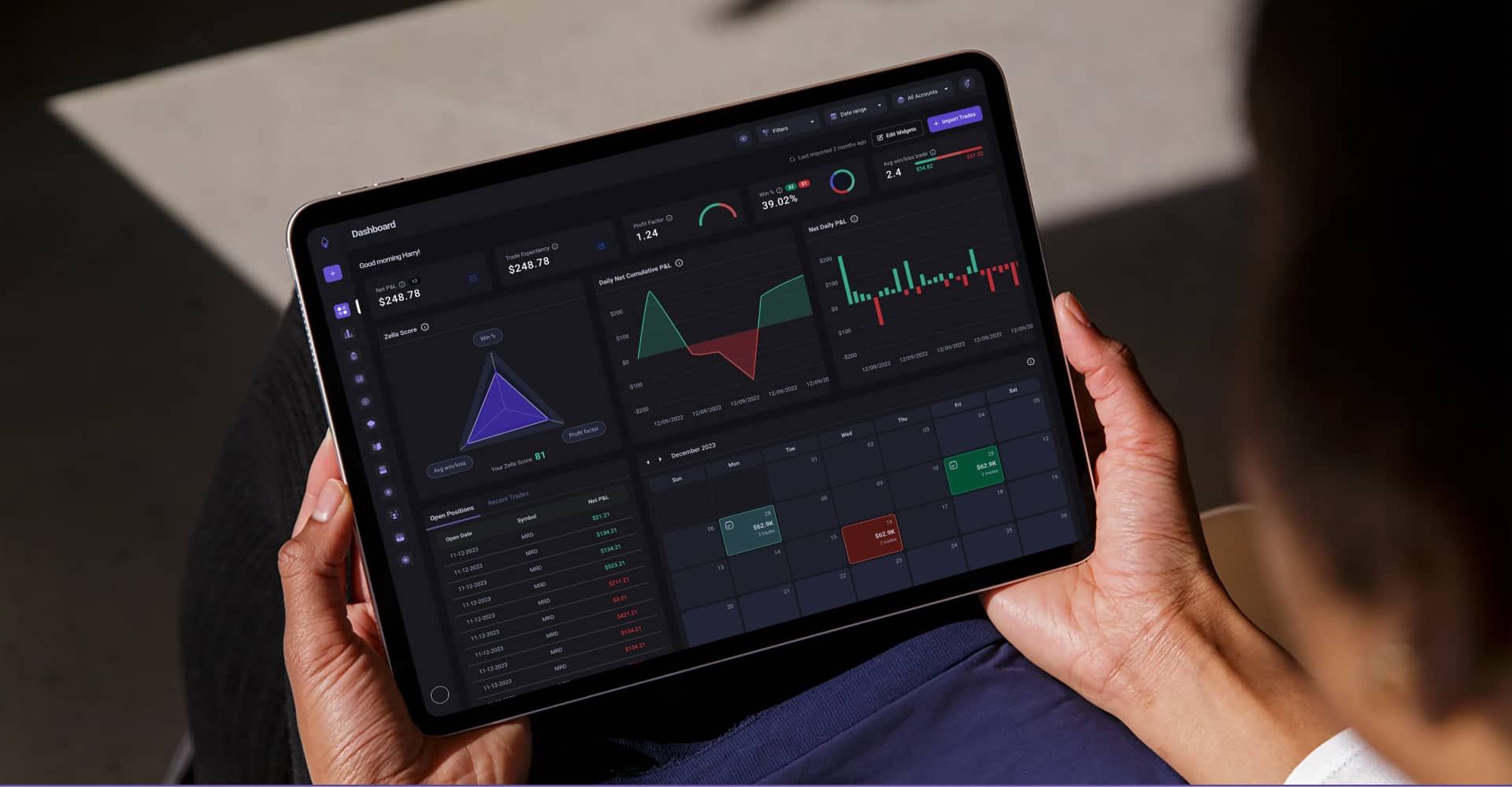
UI designers collaborate closely with UX designers to bring the user experience to life, using their skills in visual design, typography, color theory, and layout. They create captivating icons, buttons, and illustrations that evoke emotions and set the right tone for the product. UI designers also work on crafting delightful interactions, animations, and micro-interactions, adding an extra layer of enchantment to the user experience.
What skills do UI designers need?
Proficiency in visual design principles, including layout, composition, and typography, to create visually captivating interfaces.
Skill in designing interactive elements, animations, and transitions to enhance the user experience.
Familiarity with design tools like Adobe Photoshop, Sketch, Figma, or Adobe XD to create and iterate on designs.
Ability to create designs that adapt gracefully to various screen sizes and devices.
Understanding the psychological impact of colors and their use in creating engaging and emotionally resonant designs.
Strong communication and collaboration skills to work effectively with UX designers, developers, and stakeholders.
Competence in creating interactive prototypes to visualize and test design concepts.
The ability to empathize with users and consider their needs and preferences in the design process.
A keen eye for detail to ensure pixel-perfect designs and a polished final product.
A willingness to stay updated with design trends, emerging technologies, and industry best practices to continuously improve and refine their magical designs.
How do I become a UX / UI designer?
To become a UX/UI designer, embark on a magical journey by developing essential skills. Start with learning design fundamentals, such as visual aesthetics, layout, and typography. Dive into UX concepts like user research, information architecture, and wireframing. Master design tools like Adobe XD or Sketch.
Also Read: Top 10 AI Tools for UI UX Design
Build a portfolio showcasing personal projects and case studies. Collaborate with teams to gain real-world experience. Stay curious, adapt to industry trends, and keep learning to wield the enchanting powers of design. With dedication and practice, you’ll become a UX/UI designer ready to create captivating and user-centric experiences.
Endnotes:
In conclusion, the comprehensive guide on UI/UX design has unraveled the enchanting world of creating captivating user experiences. We explored the distinct roles of UX and UI design, understanding their unique contributions to the design process. By delving into user-centered design, visual aesthetics, and interactive elements, we’ve discovered the fundamentals that form the foundation of enchanting experiences.
From user research and personal development to prototyping and testing, the guide empowered aspiring designers to embark on their magical journey. We explored the importance of collaboration, empathy, and continuous learning in creating designs that leave users spellbound.
As technology advances and user needs evolve, UI/UX designers will continue to shape the future of digital experiences, creating enchanting and user-centric designs that leave users with a sense of wonder and delight. Armed with this comprehensive guide, designers are ready to wield their magical skills and create digital experiences that captivate hearts and minds, making the world a more enchanting place.
So go forth, dear designers and developers, and weave your own magical tales in the realm of UI/UX design for mobile applications! May your apps shine like the brightest stars in the sky and bring joy to users near and far! Happy designing!
For an impeccable UI/UX design, please don’t hesitate to get in touch with us today: UI UX Design
Why Choose Our UI/UX Design Services?
At Reloadux, we believe in the magic of UI/UX design to create unforgettable digital experiences. Just like a skilled magician, our team of talented designers weaves enchanting designs that leave users spellbound and captivated.
User-Centric Approach: We place your users at the heart of our design process, ensuring that every element is crafted with their needs, behaviors, and preferences in mind. Our user research and persona development help us understand your target audience and create experiences that resonate with them.
Delightful Visuals: Our UI designers are artistic wizards who bring visual magic to your interfaces. With carefully chosen colors, typography, and imagery, we create visually captivating interfaces that evoke emotions and leave a lasting impression.
Seamless Interactions: Our UX designers work diligently to create smooth and intuitive user journeys. Through wireframing and prototyping, we optimize usability and navigation, ensuring that users flow effortlessly through your digital offerings.
Responsive Design: In a world of diverse devices, our responsive design ensures that your enchanting experiences adapt seamlessly across all screens and platforms, captivating users regardless of the device they use.
Continuous Improvement: Like skilled magicians, we never stop perfecting our craft. With usability testing and user feedback, we iteratively enhance your designs, ensuring they remain enchanting and up-to-date.
At Reloadux, we are passionate about creating digital wonders. Let us be your partner in weaving enchanting user experiences that captivate your audience and elevate your brand’s presence in the digital realm.
Discover the magic of UI/UX design with us. Get in touch today and let us bring your visions to life with enchanting digital experiences that leave users spellbound.
For further related information, you can read: 6 Favourite Medium Articles for Beginner UX Designers to Read

Shahmir Farooq
Sr. Communication Designer